All Features

Professional financial documents

Send account statements showing what's owed, issue credit notes when needed, and keep your books clean without the spreadsheet gymnastics.

Statements & Credit Notes feature in MotorWorks garage management software

Key Benefits

PDF statements

Professional account statements showing all outstanding invoices with aging breakdown — current, 30, 60, 90+ days.

Bulk statement sending

End of month? Select everyone with a balance and send statements to all of them at once.

Proper credit notes

Issue refunds and corrections the right way. Linked to original invoices, numbered correctly, accountant-ready.

Aging visibility

See at a glance who owes what and how long it's been outstanding. Focus your chasing where it matters.

Chasing money shouldn’t be awkward

Nobody likes making “you still owe us money” phone calls. Statements make it professional. A PDF showing exactly what’s outstanding, broken down by invoice, sent by email. No confrontation, just facts.

Account statements that work

What customers receive

  • Your company details and branding
  • List of all outstanding invoices
  • Amount, date, and days outstanding for each
  • Total balance due
  • Aging breakdown: current, 30 days, 60 days, 90+ days

Professional, clear, and hard to ignore.

Bulk sending

End of month statement run:

  1. Go to receivables
  2. Filter for customers with balances
  3. Select all (or pick specific ones)
  4. Send statements

Everyone gets their statement. You’ve got a record of when it was sent.

Credit notes done properly

Refund a customer? Correct an invoice error? Do it with a proper credit note, not a confusing adjustment.

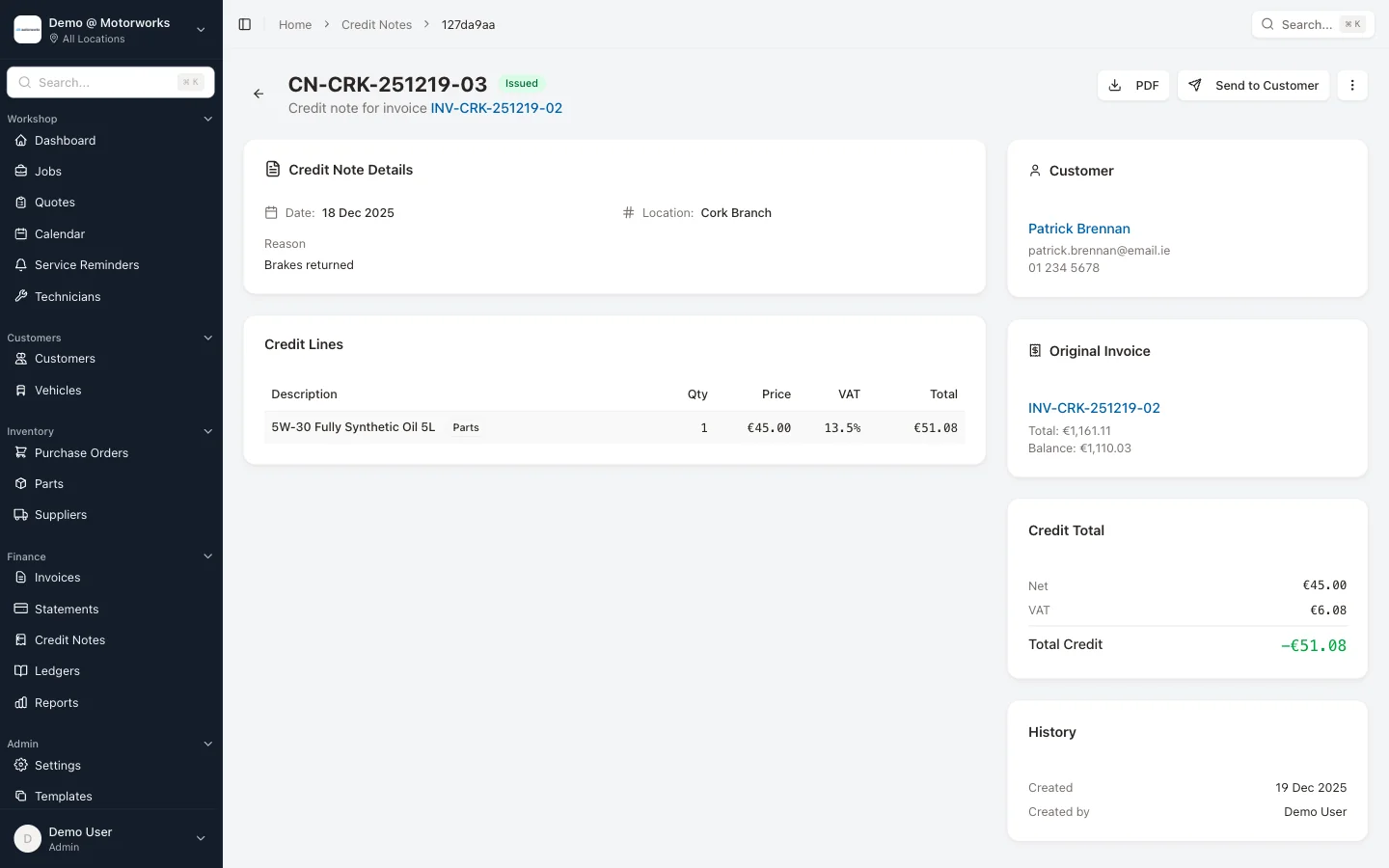
Credit note detail showing linked invoice

Linked to original invoice

Credit notes reference the original invoice. Your accountant sees exactly what was credited and why. No mysterious negative amounts.

Numbered and tracked

Credit notes get their own sequence: CN-LOC-DATE-01. They appear in your records, they’re visible in ledgers, and they export cleanly to accounting software.

Accounts receivable at a glance

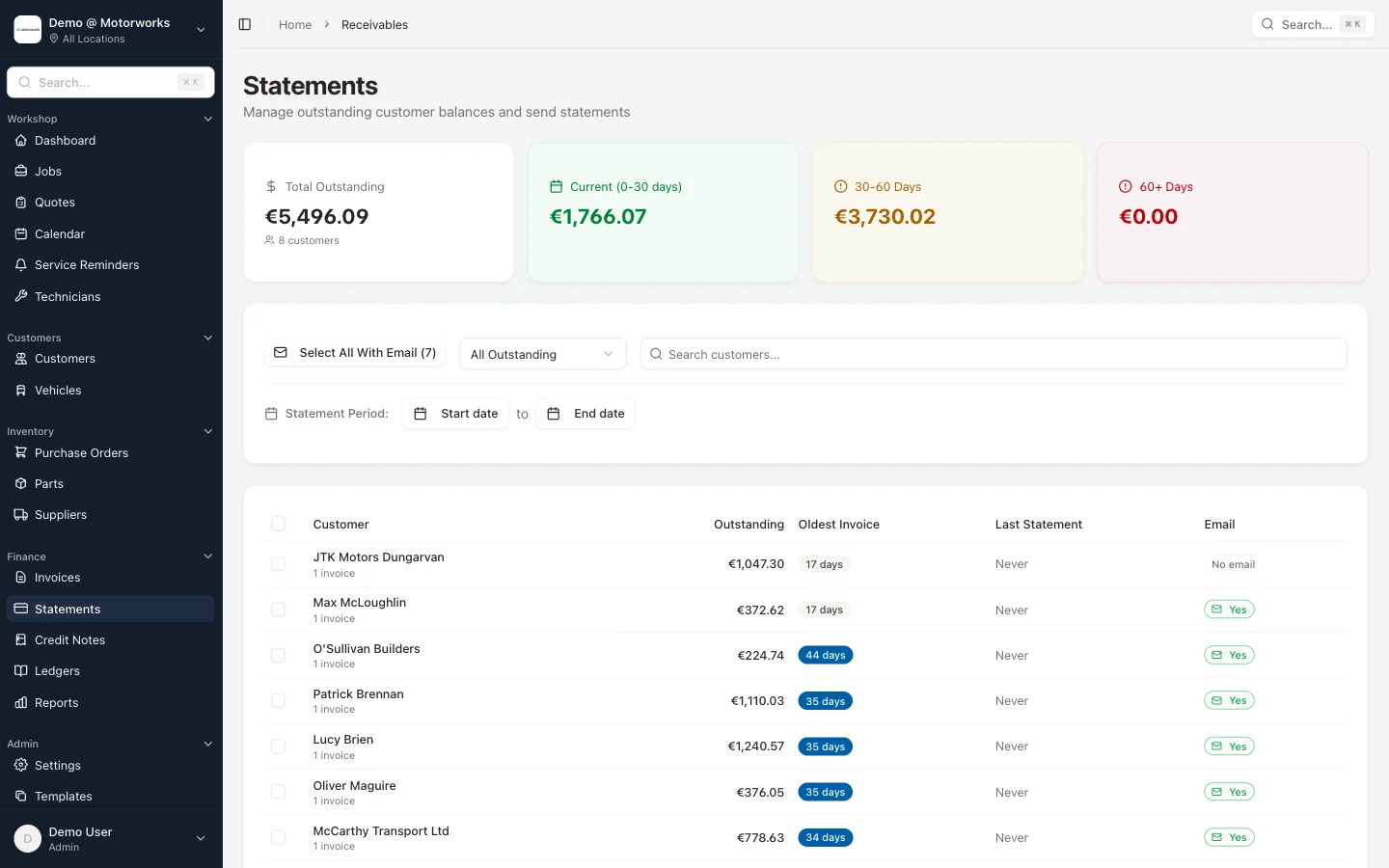
The receivables view shows:

  • Every customer with an outstanding balance
  • How much they owe
  • How long it’s been outstanding
  • When you last sent a statement

Sort by amount or by age. Focus on the big numbers or the oldest debts — whatever makes sense for your business.

Ledgers view with accounting sync

This feature is included in all MotorWorks plans.

View pricing plans

See it working with your jobs

Book a demo and we'll show you MotorWorks with scenarios from your actual workshop.

30-day free trial. No credit card required.