All Features

See the records behind the month

Motorworks reports use the jobs, invoices, payments, time entries, parts and purchase records your team creates during normal work.

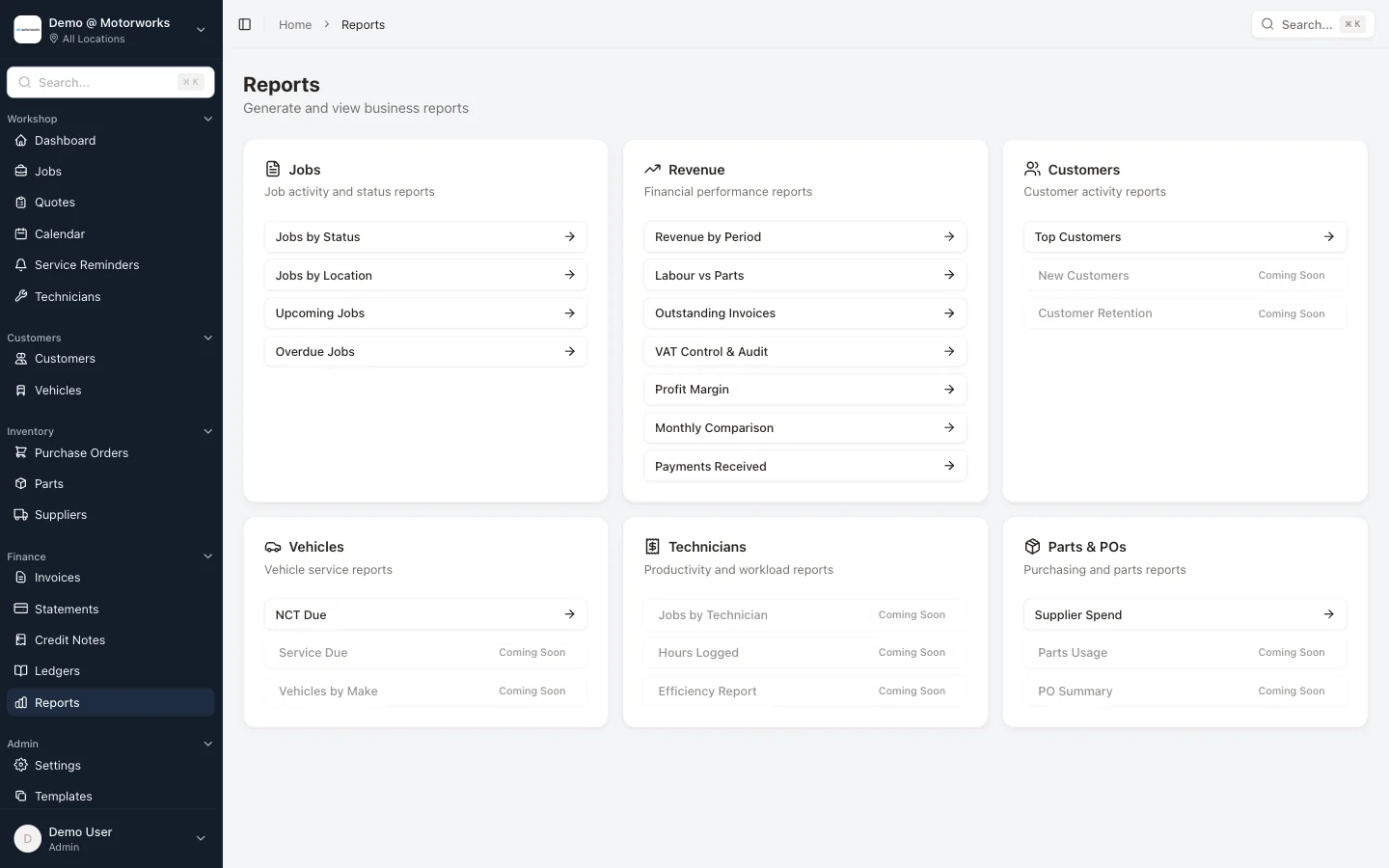
Workshop, Finance & Stock Reports feature in Motorworks garage management software

Key Benefits

Workshop position

Review jobs by status, location and technician, along with upcoming and overdue work and the hours recorded.

Revenue and receivables

See revenue by period, labour-versus-parts analysis, payments received, outstanding invoices, VAT control and monthly comparisons.

Customers and vehicles

Use top-customer, new-customer, retention, service-due, NCT, CRW and vehicle-make reports for follow-up and planning.

Stock and suppliers

Review stock levels, parts usage, supplier spend, purchase-order summaries, aged creditors and the purchase day book.

Reports use the work already recorded

Motorworks does not ask the manager to rebuild the month in a separate reporting screen. Job, invoice, payment, technician, part and purchase records feed the relevant reports, with location and date filters where the report supports them.

Profit needs complete cost records

Job and vehicle-sale profit views compare the values recorded in Motorworks. They help expose the relationship between billed labour, parts sales and recorded costs, but they cannot account for a missing purchase, unrecorded time or external overhead that was never entered.

Export the result when needed

Operational reports provide CSV or print options where implemented. Supplier accounts and document history also have focused exports, giving management or the accountant the filtered records behind the on-screen total.

This feature is included in the Motorworks workshop system.

View pricing

See it working with your actual workflow

Book a 30-minute demo and follow a representative job from booking through to invoice.