All Features

See the booked week before the phones get busy

Motorworks turns booked jobs into a shared calendar that opens directly into the customer, vehicle and work record.

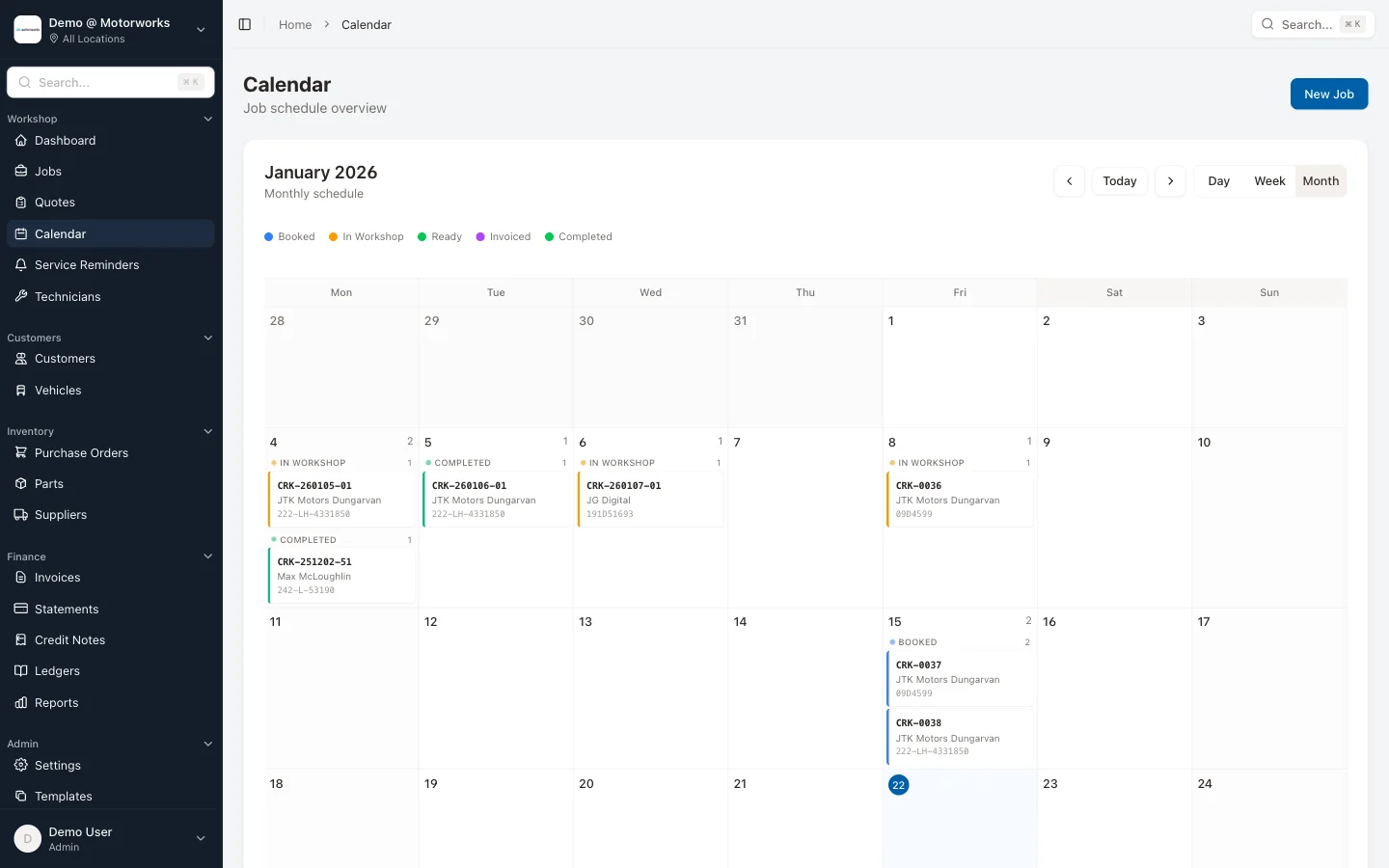
Workshop Calendar & Scheduling feature in Motorworks garage management software

Key Benefits

Day, week and month views

Move between a detailed day, a working week and a full month without creating a separate diary.

Workshop hours by date

See the hours recorded against scheduled work for each day alongside the number and status of its jobs.

Location and job-type filters

Use the workspace location selector and dedicated job-type filters, including CVRT work where that module is enabled.

Open the job from the diary

Each calendar entry leads to the live job card, where staff can review the work, assigned technician and current status.

The calendar and job card use the same booking

The diary is not a second version of the workshop. A booked job appears on the calendar with its registration, customer, status and recorded hours. Opening it takes staff to the full job record rather than a cut-down calendar note.

Choose the view that answers the question

The day view helps reception handle today’s arrivals. The week view shows how work is spread across the next few days. The month view makes future bookings and quiet dates easier to find. Mobile layouts keep the same information in a list suited to the smaller screen.

Motorworks does not send an appointment message merely because a job appears in the calendar. Customer communication remains a deliberate staff action.

This feature is included in the Motorworks workshop system.

View pricing

See it working with your actual workflow

Book a 30-minute demo and follow a representative job from booking through to invoice.