All Features

Keep vehicle-test dates beside the workshop history

Motorworks stores NCT and CRW dates on the vehicle and provides dedicated CVRT job and retest workflows for approved commercial testing operations.

NCT, CVRT & CRW Tracking feature in Motorworks garage management software

Key Benefits

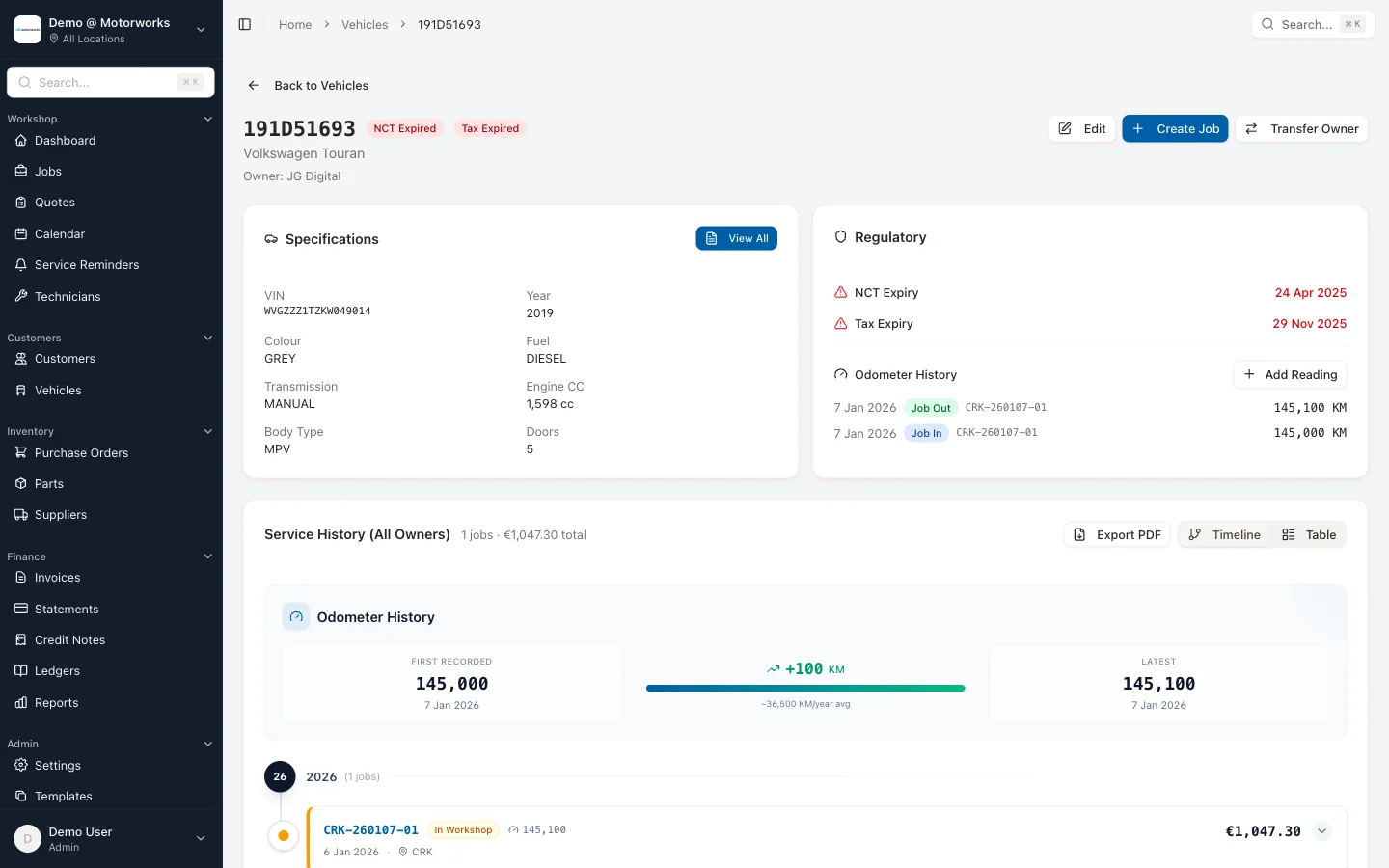
Vehicle due dates

Store NCT, CRW and tax dates on the vehicle, including values returned by the configured registration lookup when available.

NCT and CRW reports

Filter vehicles approaching their recorded NCT or CRW dates and open the underlying vehicle or customer record.

CVRT test jobs

Create commercial-vehicle test jobs with the CVRT inspection template, calendar filters and the normal Motorworks job history.

Focused retests

Convert failed or advisory CVRT inspection items into a retest containing the checks that need to be repeated.

Due dates stay with the vehicle

The vehicle record stores NCT and CRW dates alongside the registration, specifications, owner and workshop history. Where 4tonic or Motorcheck returns a date, staff can review it during the lookup; dates can also be maintained on the vehicle record.

Commercial testing uses its own workflow

Workspaces with the CVRT module enabled can create CVRT test and retest jobs, filter them in the calendar and use the commercial inspection template. A failed inspection does not need to be copied into a generic job: selected findings can create the retest and remain linked to the original report.

Reports identify records for review

NCT and CRW due reports help staff find vehicles around their recorded test dates. The garage still decides whether and how to contact the customer, and the stored date should be checked when accuracy matters.

This feature is included in the Motorworks workshop system.

View pricing

See it working with your actual workflow

Book a 30-minute demo and follow a representative job from booking through to invoice.